The Powerful Driver Management Tool that Keeps Your PC Running Like New
- 200,000+ drivers supported
- Updates drivers in 1 easy step
- Backs up installed device drivers
- Restores drivers after OS reinstallation
- Uninstalls old drivers that harm your system
- Integrated driver download manager
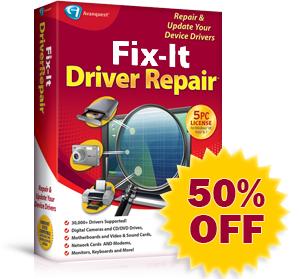
Fix-It Driver Repair is the choice to automatically keep your device drivers up-to-date and your peripherals working smoothly.
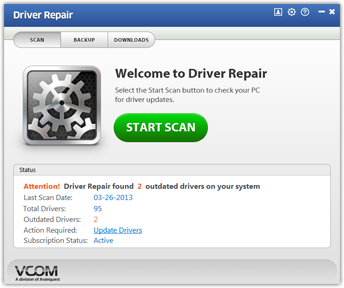
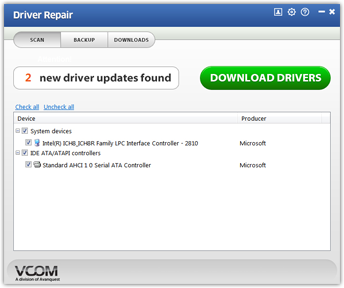
With just a few clicks of your mouse Driver Repair analyzes your system and recommends suitable PC drivers from a 200,000+ constantly expanding driver database!
- Digital Cameras & Video Cameras
- Hard Drives & CD/DVD Drives
- Motherboards & Network Cards
- Monitors & Printers
- VOIP phones & MP3 Players
- Video & Sound Cards
- Keyboard, Mouse and More!
Features
|
Automatic Driver Detection
Fix-It Driver Repair automatically identifies the drivers requiring updates and provides you with the most suitable driver choices to enhance your system. |
 |
|
Removal of Old and Obsolete Drivers
Automatically removes out-of-date drivers from the Download Manager and hides driver notifications for devices you no longer use. |
 |
|
Backup and Restoration of Your PC's Drivers
Fix-It Driver Repair deletes and backs up installed device drivers for your computer, giving you peace of mind. |
 |
|
Regularly Scheduled Updates
Use the Driver Scan Scheduler to set a convenient time to update your PC, ensuring that your drivers are always up-to-date. |
 |
|
Driver Download History
Fix-It Driver Repair saves all of the driver updates and install history. |
 |
|
System Restore Point
Fix-It Driver Repair allows you to create a system restore point before installing new drivers in the event you want to revert back to your old driver. |
 |
Why Do You Need Fix-It Driver Repair?
When upgrading Windows or purchasing a new Windows compatible PC, the BIGGEST problem that users often face is that existing hardware or peripheral devices drivers aren't compatible with your new version of Windows Fix-It Driver Repair eliminates this issue by automatically scanning your PC, finding the problem drivers, downloading the updated drivers and fixing your PC!

Copyright © 2015 Avanquest North America Inc. All right reserved. Privacy Policy | Terms of Service